88% of surveyed organizations now use artificial intelligence (AI) in at least one business function, yet most teams still retype the same instructions every session
McKinsey's 2025 State of AI survey found that 88% of responding organizations reported regular AI use in at least one business function, up from 78% a year earlier. The tools are everywhere. But adoption alone has not solved a basic productivity problem: most people still interact with AI the same way every time. They open a chat window, type background context from scratch, and hope the output matches what they need.
Your company adopted ChatGPT Work six months ago. You use it for emails, summaries, and quick research. So does everyone on your team. Yet every Monday morning, you spend ten minutes typing the same background instructions before the tool produces anything useful. Your colleague down the hall does the same thing, slightly differently, and gets slightly different results.
The missing piece is not a better AI model. It is a better way to package what you already know works.
That missing piece is called an AI Skill.
The new intern who forgets everything overnight
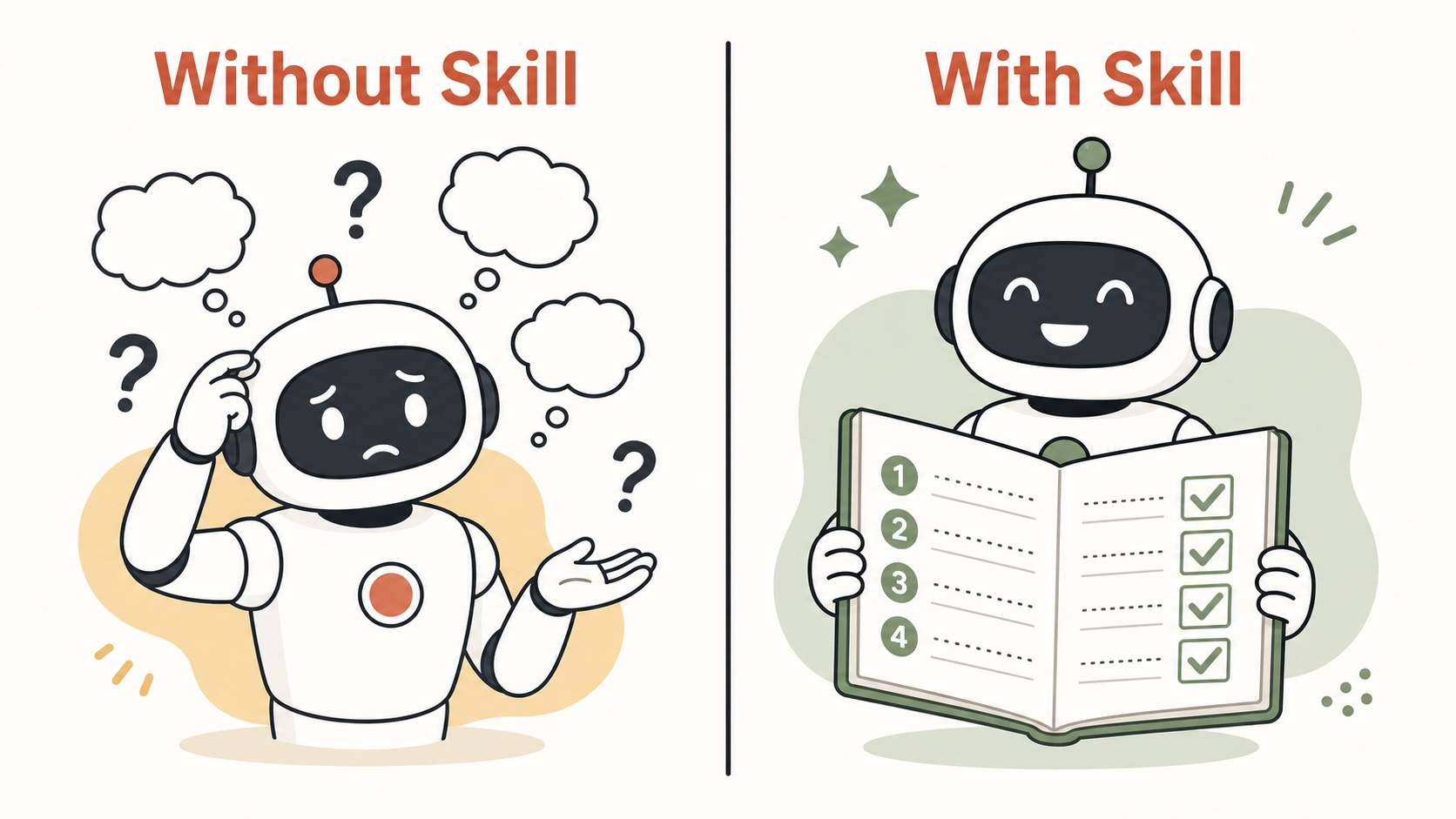
Imagine your team hires an extremely capable intern. They are fast, eager, and can write polished text in seconds. There is one catch: every morning, they wake up with a completely blank memory. They do not remember your company name, your formatting preferences, or the project you spent three hours explaining yesterday.
That is what happens every time you open a new chat window with an AI assistant. The context resets. Your preferences vanish. You start from scratch.
Now imagine you hand that intern a written playbook on day one. The playbook says: "You work for Tanaka Industries. When someone gives you a meeting recording, you extract decisions, action items, and deadlines. You format everything as a numbered list. You flag any item that has no clear owner."
With that playbook, the intern produces useful output from the first minute. No re-explanation needed. No inconsistency between sessions.
An AI Skill is that playbook.
What an AI Skill actually is
An AI Skill is a set of saved instructions that tells an AI assistant three things:
- What role to play (your department's senior coordinator, a financial analyst, a customer support specialist)
- What steps to follow (read the input, filter noise, extract specific data points, format the output)
- What rules to enforce (use formal tone, always include numbers, never exceed 200 words per summary)
When you attach a Skill to your AI assistant, you do not need to re-type those instructions. The assistant loads them automatically and applies them every time you trigger the workflow.
Most leading AI platforms offer a way to save these instructions, though each one uses a different name. In ChatGPT Work, you build custom GPTs or use Projects with instructions. In Claude, you set up a Project with project instructions. In Microsoft 365 Copilot, you build custom agents with Agent Builder. Throughout this article, we use the word "Skill" as an umbrella term for all of these. The underlying concept is the same regardless of platform: you write the instructions once, and the AI follows them repeatedly.
How we got here: from chatting to skills
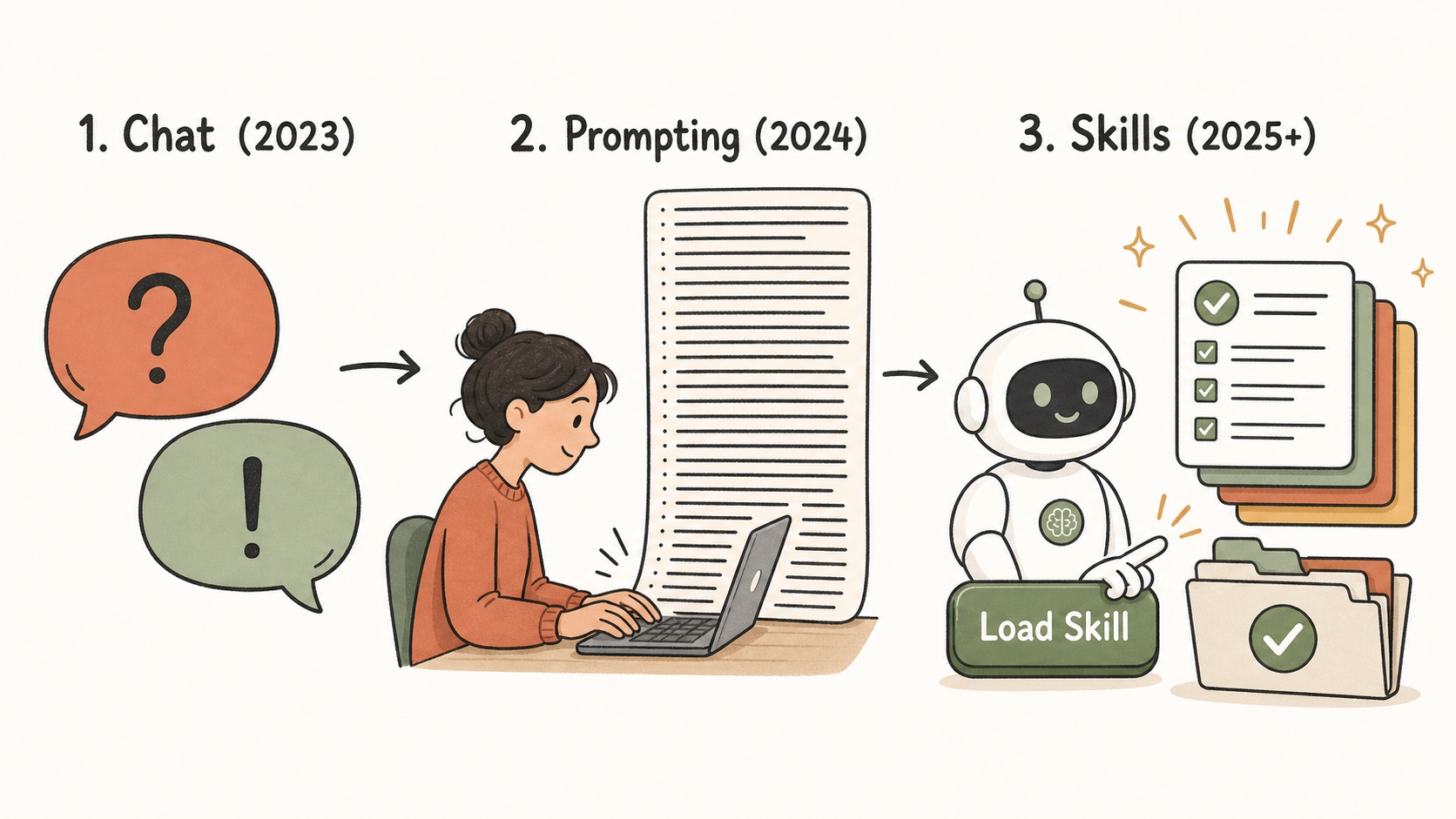
The shift happened in three stages, and most office workers are still stuck in stage two.
Stage 1: Chat (2023). AI tools arrived as chatbots. You typed a question, you got an answer. It was like having a search engine that could write paragraphs. Useful for quick lookups, but not for structured work.
Stage 2: Prompt engineering (2024). People learned that how you phrase a request changes the quality of the output. "Summarize this report" produces mediocre results. "Summarize this report in five bullet points, focusing on budget variances over 10%, using the format: Finding, Impact, Recommended Action" produces much better results. But you still had to type that detailed prompt every single time.
Stage 3: Skills (2025 onward). Instead of re-typing the perfect prompt for every task, you save it as a reusable Skill. You write the instructions once. You refine them based on real results. Then anyone on your team can use the same Skill and get consistent output.
The difference between stage 2 and stage 3 is the difference between a chef who cooks from memory each time and a restaurant that has a written recipe. The recipe produces the same dish regardless of who is in the kitchen.
A real example: meeting minutes that actually help
Meeting minutes are one of the most universal office tasks. Almost every team does them. Almost every team does them inconsistently.
Here is how the same task looks with and without an AI Skill, using ChatGPT Work as the platform.
Without a Skill: the manual prompt approach
After a 45-minute product review meeting, you open ChatGPT Work and type:
"Here are my meeting notes. Please organize them into a summary with key decisions and action items."
The AI produces a wall of text. It includes pleasantries from the meeting opening. It buries the budget discussion in the middle of paragraph four. It misses two action items because they were mentioned casually ("I'll follow up with the vendor" said in passing). There are no deadlines. There are no owners assigned.
You spend another fifteen minutes editing the output, adding the missing items from your own memory, and reformatting. Next week, you do the same thing again. Your colleague in the same meeting produces a completely different format.
With a Skill: the one-trigger approach
You have a "Meeting Minutes" Skill loaded in your ChatGPT Work workspace. The Skill contains instructions like:
- Ignore small talk, greetings, and off-topic side conversations.
- Extract every decision made during the meeting, even informal ones.
- For each action item, identify: the responsible person, the specific task, and the deadline. If no deadline was stated, flag it as "Deadline: To Be Determined (TBD), needs confirmation."
- Group the output into three sections: Decisions, Action Items, Discussion Points.
- At the end, generate a two-sentence executive summary suitable for email forwarding.
You upload the meeting transcript and trigger the Skill. The output arrives in seconds, structured exactly the way your team expects it. Every week. Every meeting. Same format, same quality.
The real power: customize the Skill to fit your manager
Here is where Skills go from useful to genuinely personal.
Different managers care about different things. A generic meeting summary satisfies nobody completely. But a Skill can be tuned to match the specific priorities of the person who reads the output.
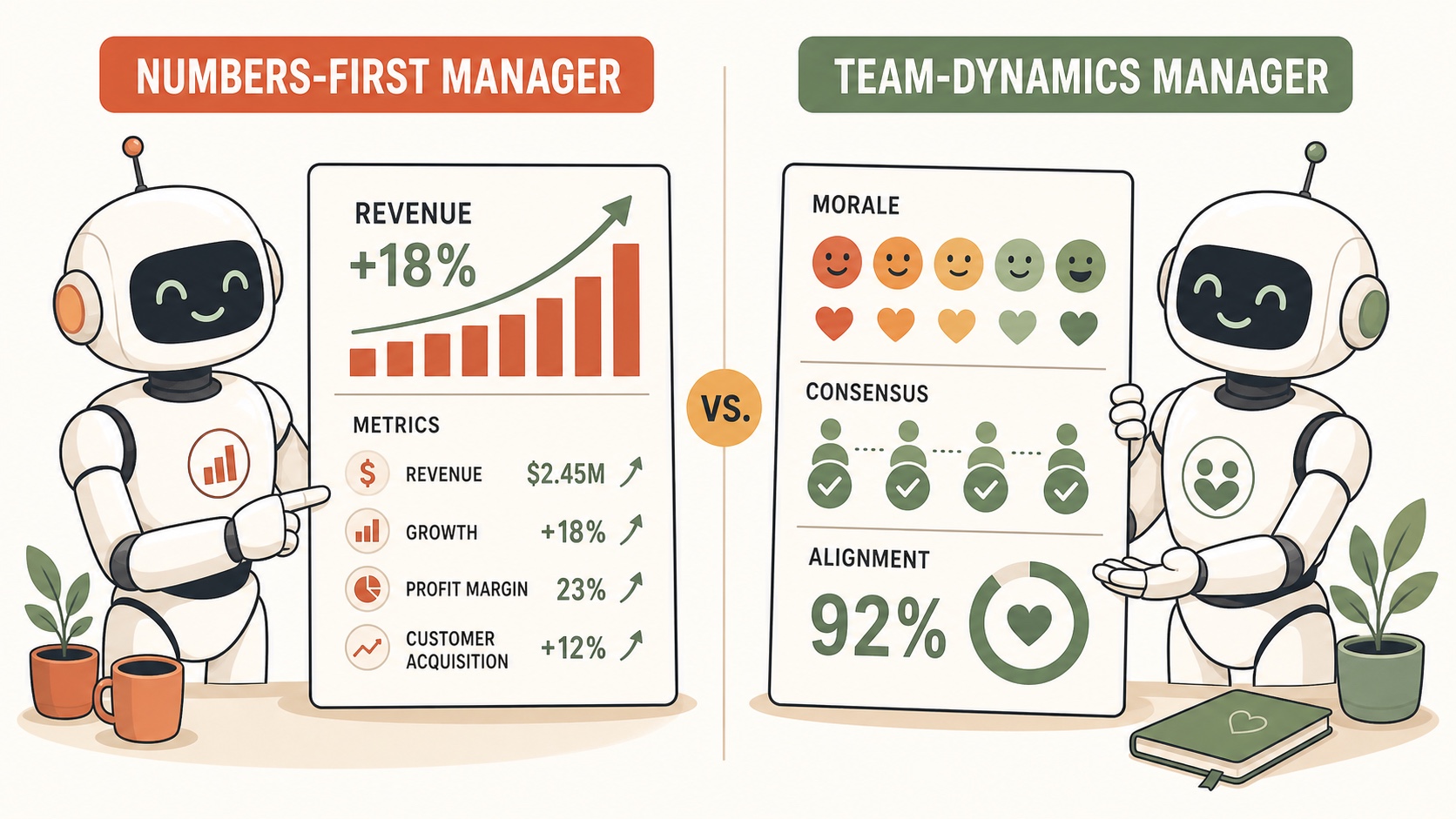
Scenario A: the numbers-first manager
Your department head runs on data. She opens every Monday with "Give me the numbers." When she reads meeting minutes, she skips the discussion section and goes straight to quantifiable outcomes.
For this manager, you add a few lines to your Meeting Minutes Skill:
- Always lead with quantified metrics: revenue figures, growth percentages, cost savings, conversion rates, headcount changes.
- If a number was mentioned during the meeting, it must appear in the summary. Do not paraphrase "sales grew a lot" when the speaker said "sales grew 14% quarter over quarter."
- Include a "Key Metrics Discussed" section at the top before the standard Decisions and Action Items sections.
Now the same meeting transcript produces a summary that opens with the data your manager actually wants to see. She reads the first three lines and has what she needs.
Scenario B: the team-dynamics manager
Your other team lead manages cross-departmental projects. He cares less about individual numbers and more about whether people are aligned, where resistance is forming, and whether the team left the meeting with shared understanding or unresolved tension.
For this manager, you adjust the Skill differently:
- After listing Decisions, add a "Consensus Check" section: note which decisions had unanimous support and which had visible hesitation or disagreement.
- Flag moments where someone raised a concern that was acknowledged but not resolved.
- Note shifts in tone: if the discussion moved from collaborative to defensive on a specific topic, record that topic and the participants involved.
- End with a "Team Alignment Score" (your subjective estimate on a 1 to 5 scale based on the meeting dynamics).
Same meeting. Same transcript. Two Skills produce two completely different summaries, each one tailored to what that specific reader looks for.
This produces targeted, relevant summaries instead of generic ones.
Copy, customize, share: how Skills spread across teams
Skills are just text. They are instructions written in plain language, stored in a file or a settings panel. This means three things that matter for team productivity:
Copy from a colleague. Your teammate in the finance department built a Skill that formats expense reports from receipt photos. You ask her to share it. She sends you the instruction text. You paste it into your own workspace. You now have the same capability, no technical setup required.
Customize for your context. The finance Skill works well, but your department has a different approval threshold and a different coding system. You change two lines in the instructions: the threshold amount and the account codes. The Skill now fits your department exactly.
Share with your team. Once your version works reliably, you share it with the rest of your group. Five people now use the same Skill, producing consistent output. When someone discovers an edge case (receipts in foreign currency, for example), they update the Skill, and everyone benefits.
This copy, customize, and share cycle is how institutional knowledge stops living inside one person's head and starts living in a system. The Skill becomes a team asset, not an individual trick.
Preventing the black box: why company-wide Skill awareness matters
As Skills spread across an organization, your company handbook stops being a static document gathering dust on an intranet. It becomes a dynamic repository of operational rules that changes continuously alongside your business.
When a Skill updates, both AI assistants and human employees must stay informed.
Even when AI executes a workflow automatically, human staff must understand how the Skill operates. Knowing the current rules keeps team members connected to daily operations. It empowers employees to review outputs, suggest improvements, and react when a procedure needs adjustment.
Without open, company-wide communication around Skill updates, enterprise operations risk becoming a black box. When team members no longer understand how automated decisions are made, confusion and operational errors follow. Keeping your team aligned on Skill changes ensures that automation remains transparent, accountable, and driven by human insight.
What a Skill is not
Two common misunderstandings are worth addressing early.
A Skill is not a piece of software you need to install. In most AI platforms, it is a block of text pasted into a settings field. If you can write an email, you can create a Skill. The technical barrier is close to zero.
A Skill is not a replacement for human judgment. The AI follows the instructions in the Skill, but you still review the output. The meeting minutes still go through you before reaching your manager. The Skill removes the repetitive formatting and extraction work. It does not remove your responsibility to verify the content.
Think of it this way: the Skill handles the 80% that is predictable and repeatable. You handle the 20% that requires context, nuance, and accountability.
Getting started: two easy paths to your first Skill
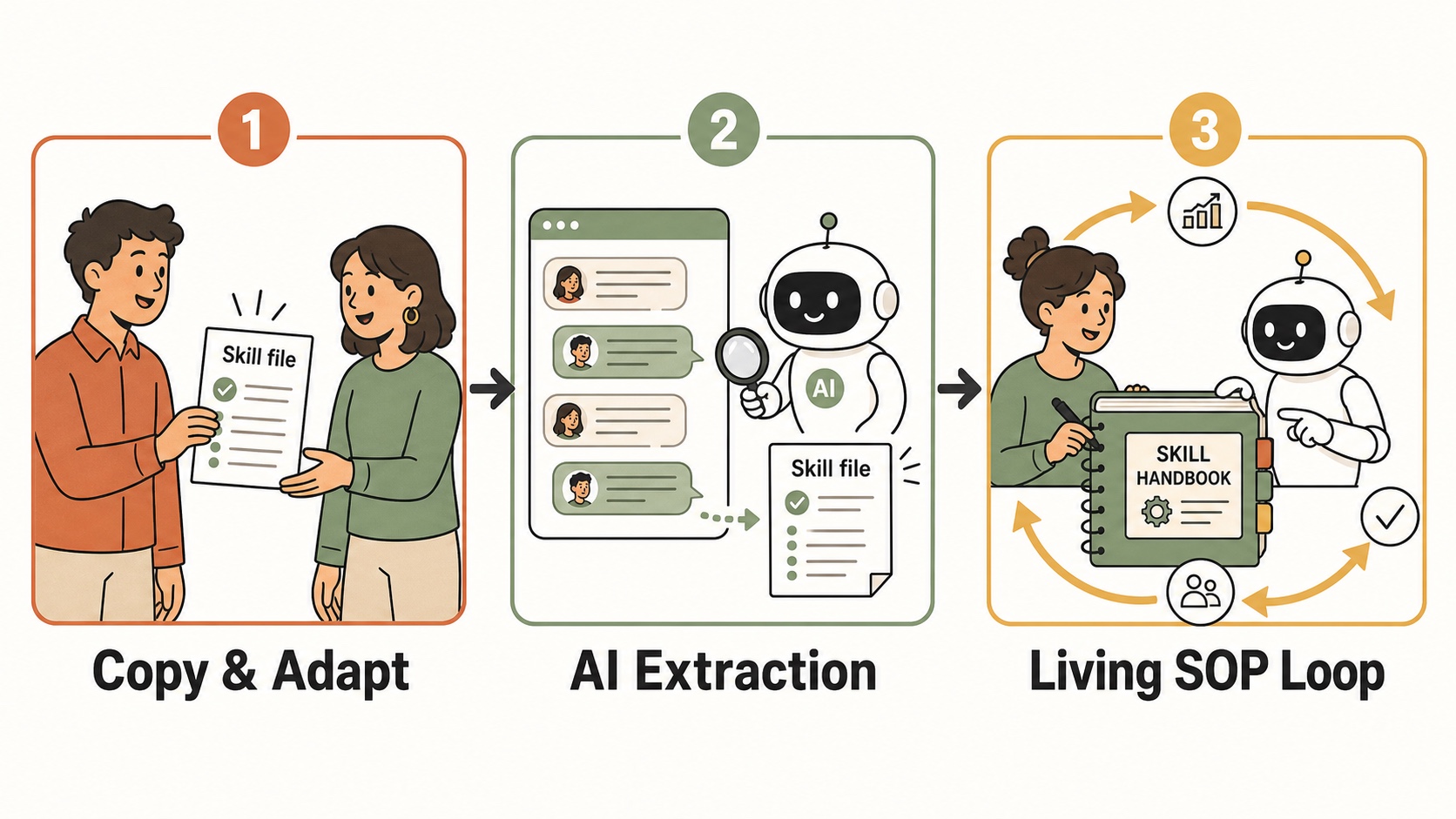
You do not need to write a complex instruction set from scratch on day one. Beginners usually follow one of two straightforward paths.
Path 1: Copy an existing Skill and customize it
Thousands of useful Skills are already shared online across social media, blogs, and community repositories. You can also start with open-source Skill guides, such as multi-brain review or session handoff templates.
The process is simple:
- Find a public Skill template that matches a task you perform regularly, such as drafting client updates or organizing research.
- Copy the instruction text into your AI assistant's project settings or custom instructions.
- Tell your AI assistant: "Read this Skill and adapt it to fit our department tone and formatting rules."
Path 2: Let the AI extract a Skill from your finished work
If your task is unique to your role, you do not need to write instructions at all. Instead, do the work interactively with your AI assistant first.
- Work through a task step-by-step in a normal chat window until you get an output you love.
- Before closing the chat, say to your AI assistant: "I am happy with this result. Analyze our step-by-step conversation and write a reusable Skill instruction set so we can run this exact procedure automatically next time."
- Copy the generated instructions into your saved project settings.
This approach ensures the Skill captures your specific workflow, edge cases, and personal preferences without extra upfront effort.
Skills are living documents: the power of continuous iteration
Creating a Skill is not a one-time event. In a real office, standard operating procedures evolve as business needs change, new edge cases appear, or manager feedback arrives. An AI Skill operates the exact same way.
When your AI assistant misses a detail or handles an edge case incorrectly, do not abandon the Skill. Instead, refine it together with your AI:
- Tell your AI assistant what went wrong: "In today's summary, you included personal side notes in the action items. Update our Meeting Minutes Skill instructions to explicitly prevent that."
- Save the updated instruction text back into your workspace.
With every iteration, your Skill becomes more accurate. Over time, what started as a simple set of notes becomes a refined asset for you and your entire team.
Where this fits in your AI learning path
This article explains the concept and background of AI Skills. For hands-on walkthroughs of individual Skills, the ARUO AI Skill series on our digital transformation (DX) / AI Tips page covers specific workflows:
- How to Use Multi-Brain Review to Produce Top Quality AI Output: a Skill that routes a draft through two separate AI models to catch errors a single model would miss.
- How to Make AI Agents Accountable with Smart Handoff and Pickup: a Skill that lets an AI assistant save its progress and resume in a new session without losing context.
These guides contain complete instruction texts that can be copied directly into an AI assistant.